Faster Illustration Techniques by Marc Brunet
Marc Brunet's Faster Illustration Techniques is a downloadable video course on speeding up illustration with 3D blockouts and gradient maps, following one piece start to finish. 4h15, 6 chapters; $44.

Marc Brunet Faster Illustration Techniques is a self-paced video course taught by Marc Brunet, a former senior artist at Blizzard Entertainment and the founder of Cubebrush. In it he creates an illustration called Coffee Break from start to finish, showing techniques that speed up the process, such as a 3D blockout and gradient maps. The finished piece took him just under 14 hours. The course has 4 hours 15 minutes of fully narrated 1080p video in six chapters, with the PSDs, gradient maps, brushes and 3D models included. It costs $44 as an instant download.
Finishing illustrations in a reasonable time is a real concern for anyone who works to deadlines or wants to build a portfolio. This course focuses on the shortcuts that make that possible without lowering the quality of the result. Unlike Marc's purely 2D packs, it starts in 3D and then moves into Photoshop, which makes it a useful introduction to a hybrid workflow common in concept art and illustration.
What You Will Learn
The course shows how to combine 3D and 2D tools to work faster on a complete illustration. Topics include:
- Blocking out a scene in 3D as a base for the painting
- Building a composition on top of the 3D blockout
- Using gradient maps to colour a greyscale image quickly
- Painting a background efficiently
- Painting characters within the scene
- Finishing an illustration from start to end
- Speed-up techniques you can reuse in your own work
Who Is Marc Brunet Faster Illustration Techniques For?
Marc Brunet Faster Illustration Techniques suits illustrators and aspiring concept artists who can already draw and paint and want to finish pieces in less time. The page labels it for beginners, and the narration explains each step, but you will get the most from it if you have some experience of digital painting. It is especially useful for artists curious about using simple 3D as a base for 2D work.
It is less suited to someone who wants a purely traditional or purely 2D approach, as part of the workflow depends on a 3D program. Complete beginners may want to start with Drawing & Coloring Techniques first.
Course Structure
The course follows the Coffee Break illustration through six chapters. The chapters listed on the page include:
- 1. 3D Blockout: building the scene in 3D
- 2. Composition: arranging the image on top of the blockout
- 3. Gradient Maps: using gradient maps to add colour
- 4. Background: painting the environment
- 5. Characters: painting the figures in the scene
- 6. Final chapter: completing the illustration
The download contains seven files totalling 7.9 GB, including the PSDs, gradient maps, brushes and 3D models used in the piece.
Price and Access
The course costs $44, paid once, as an instant download in MP4 format from Cubebrush, which describes itself as an AI-free marketplace.
About the Instructor
Marc Brunet has more than 20 years in the industry and held senior roles at Blizzard Entertainment. He founded Cubebrush and has worked for Wacom, Clip Studio Paint and ImagineFX. He later left his industry job to build ART School.
Things to Consider
- 3D software: the demo uses Maya, but the page notes free alternatives such as Blender will work.
- 2D software: any version of Photoshop, or most layer-based painting software, is enough for the painting stages.
- Downloads: at 7.9 GB this is a large pack, so allow for storage space.
- Time: four hours of video, plus time to learn basic 3D blocking if it is new to you.
- Feedback: there is no personal critique, so share your work with peers or an online art community.
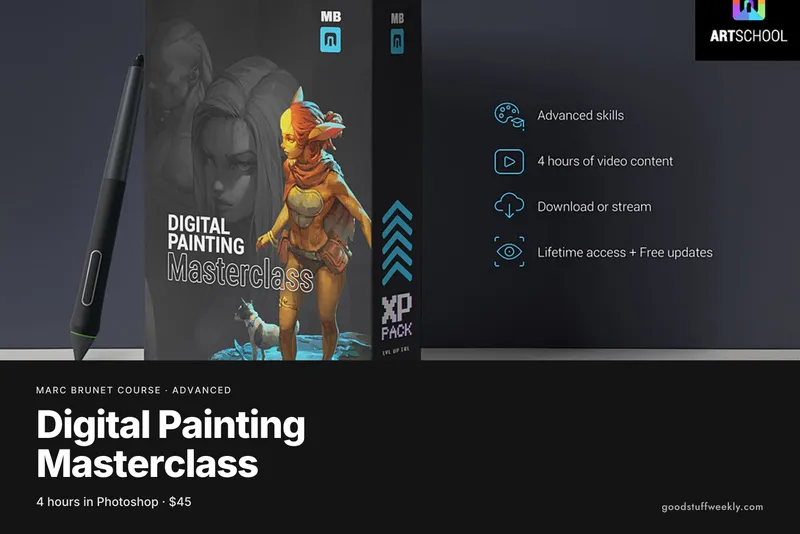
- Next steps: the Digital Painting Masterclass goes deeper into the painting stages.
How to Get the Most From It
Use the included 3D models and gradient maps to follow along first, then repeat the process with a simple scene of your own. Time yourself on each stage to see where the shortcuts help most. Keep a library of your gradient maps and blockouts for later projects.
Start the Course
Interested in learning with Marc Brunet?
Start Faster Illustration Techniques
For the full syllabus and pricing, visit the official Marc Brunet website.
Looking for more ways to learn? Browse all courses and learning resources on Good Stuff Weekly.
Last verified: November 12, 2026
Last updated